
Django hosting comparisons
A Better Alternative to Render for Django Hosting
Compare Render with a simpler Django hosting stack that includes Python, MariaDB, Redis, SSL, backups, email, Git, SSH, and Cron Jobs.
Published 2026-07-30 · 7 min read
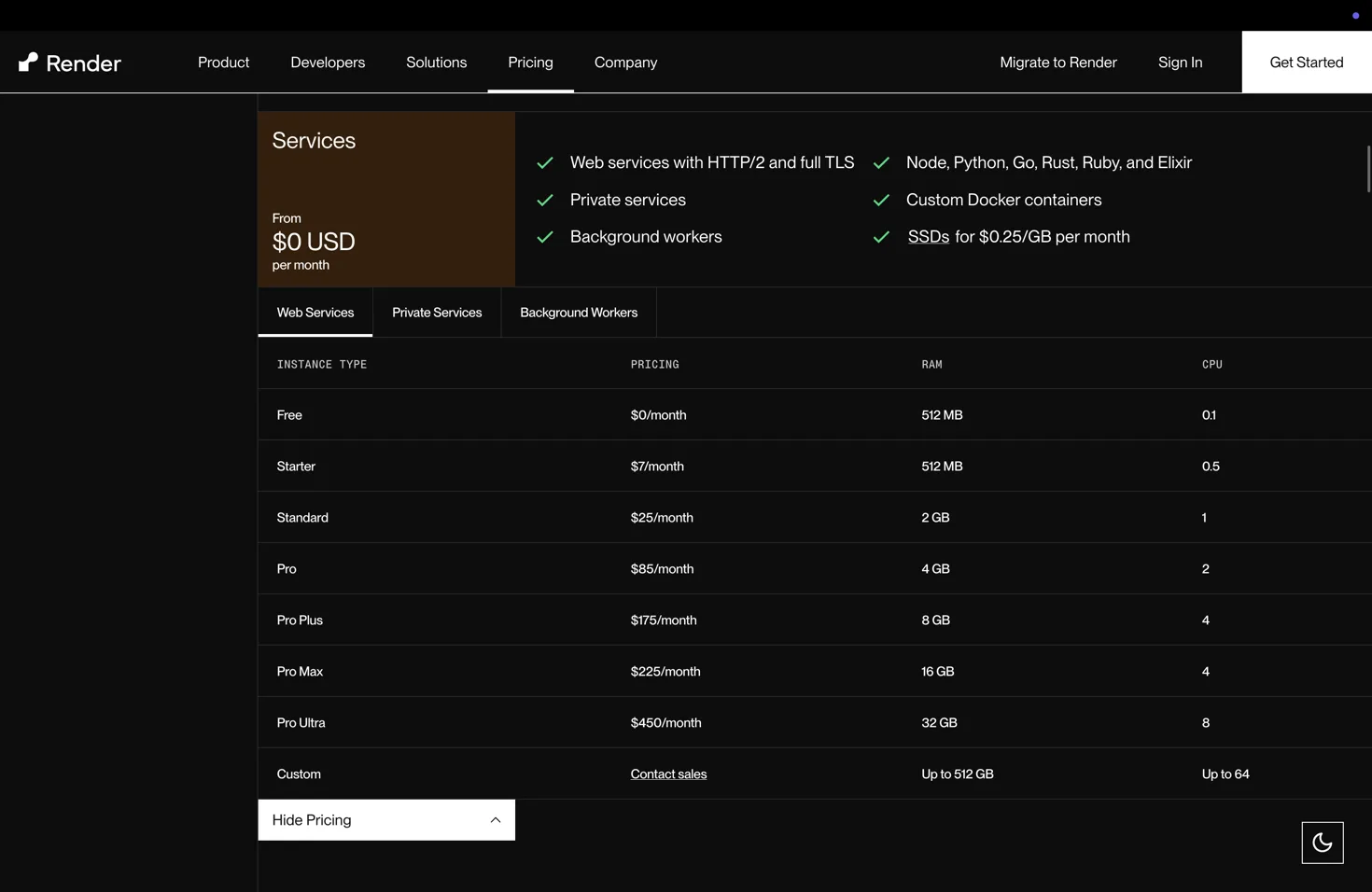
Render is built around separate web services, workers, cron jobs, Postgres databases, and Redis-compatible Key Value services. That is powerful for multi-service systems, but a small Django project pays for the pieces it provisions.
HostRight is a better Render alternative for a small Django website or API when the whole stack should start at $2.99/month. The account includes Python hosting, MariaDB, Redis, SSL, email, daily backups, SSH, Git, and scheduled Cron Jobs.
How to host Django on HostRight
Create the Python application first, keep the Django code outside the public web directory, install dependencies in its virtual environment, and point Passenger to project.wsgi.application. Create the MariaDB database and Redis service, configure the secret key, allowed hosts, database, and cache settings, then run python manage.py migrate and python manage.py collectstatic --noinput. Use HostRight Cron Jobs for scheduled commands and provision SSL after DNS is ready.
Render follows the same application concept but separates the web service, Postgres, Key Value, workers, and cron jobs into individual resources. For detailed HostRight commands and file layout, read Deploy Django with Passenger.
What HostRight simplifies
- One application account instead of a separately billed web service
- MariaDB included instead of a separate Postgres resource
- Redis included for cache, sessions, and short-lived state
- Cron Jobs included for scheduled Django management commands
- Email and DNS available in the same control panel
- Daily backups and SSL included according to plan
Render remains the stronger fit when you need dedicated workers, private networking, preview environments, independent scaling, or managed Postgres. HostRight is the better alternative when Django is a small or medium application and a bundled stack keeps the cost and operations predictable.
Map a Render project to HostRight
- Render web service → HostRight Python application
- Render Postgres → HostRight MariaDB database
- Render Key Value → HostRight Redis
- Render cron service → HostRight Cron Jobs
- Render environment variables → HostRight protected application settings
- Render custom domain and TLS → HostRight domain and SSL tools
- Render external email → HostRight mailbox or a transactional email provider
This mapping works for a Django website, admin dashboard, small API, or internal tool. It is not a one-to-one replacement for multiple always-on workers or private network services. If the app has Celery workers, high-volume queues, or independent scaling requirements, keep Render or use a VPS/application platform for those parts.
Migration checklist
Export the database, deploy the Django project privately, configure the Python application, import the data, collect static files, test the temporary URL, and then move DNS. Preserve MX, SPF, DKIM, and DMARC records when the domain's DNS is external.