
Hosting tools
Create and manage mailing lists
Create a HostRight mailing list, add subscribers, and use list delivery for announcements, teams, and community communication.
A mailing list provides one address that distributes messages to a group of subscribers. It can be useful for internal announcements, project teams, clubs, customer communities, or product updates where several people need to receive the same messages.
Use a mailing list when a group needs shared distribution. Use a forwarder for simple delivery to a fixed set of destinations, or an email account when one person or team needs a private inbox.
Open Mailing Lists
In the HostRight Control Panel, expand E-mail Manager and select Mailing Lists.
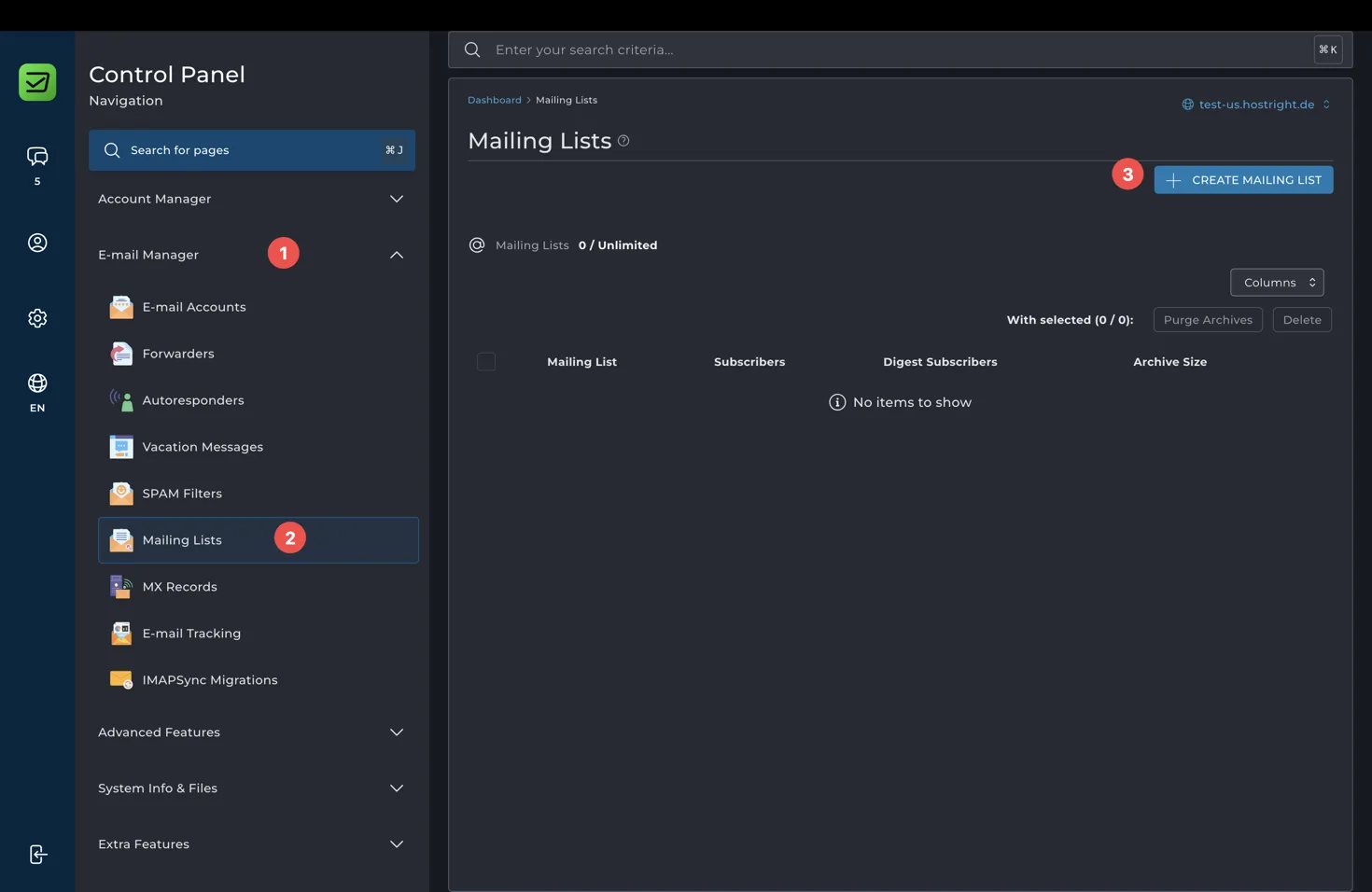
Select Create Mailing List.
Create a mailing list
Enter the list name and select Create.
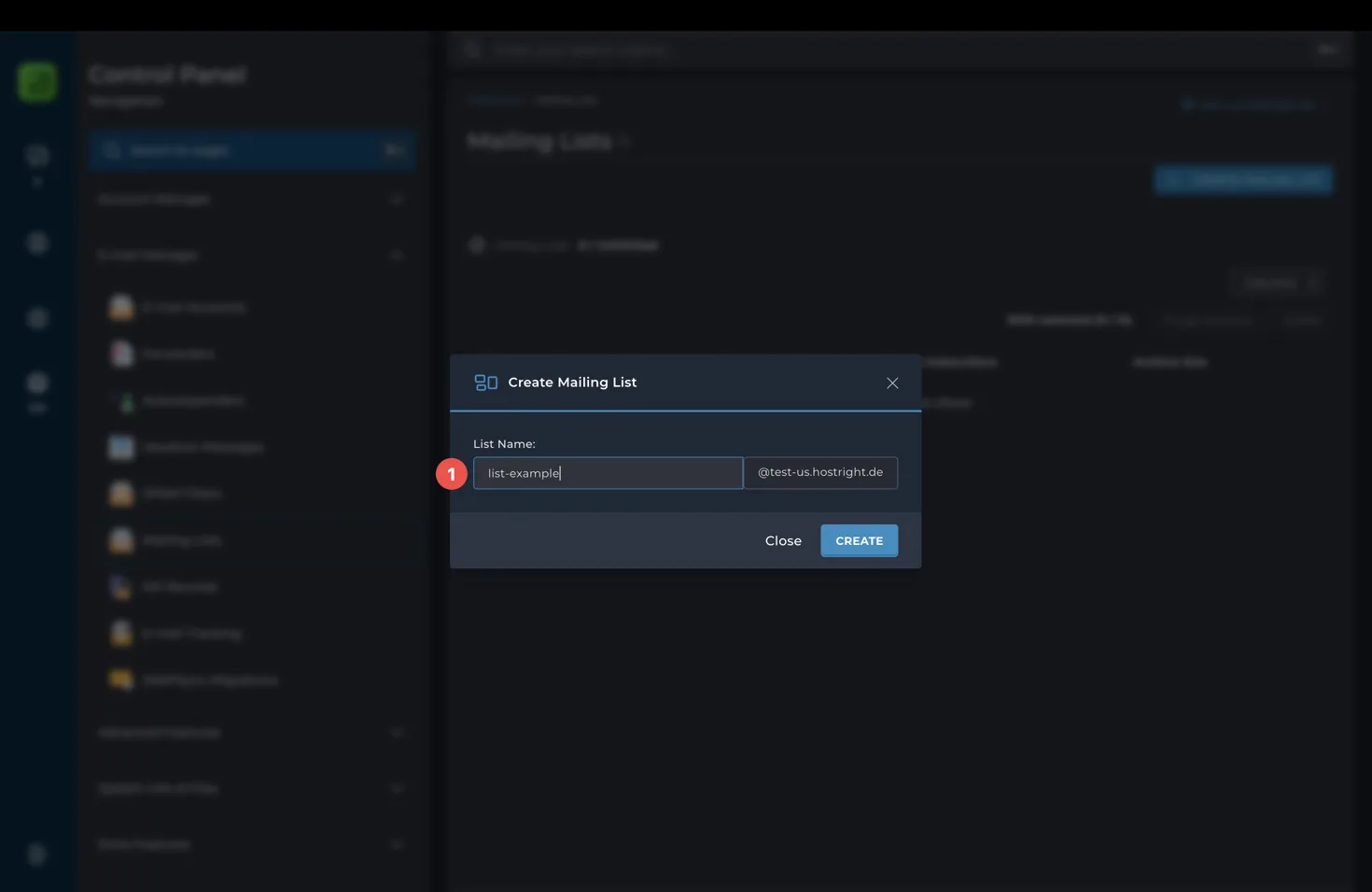
The list name becomes the address before @your-domain, such as announcements@example.com. Choose a name that describes the group and avoid using a name that could be confused with a private mailbox.
After creation, the list appears in the Mailing Lists page.
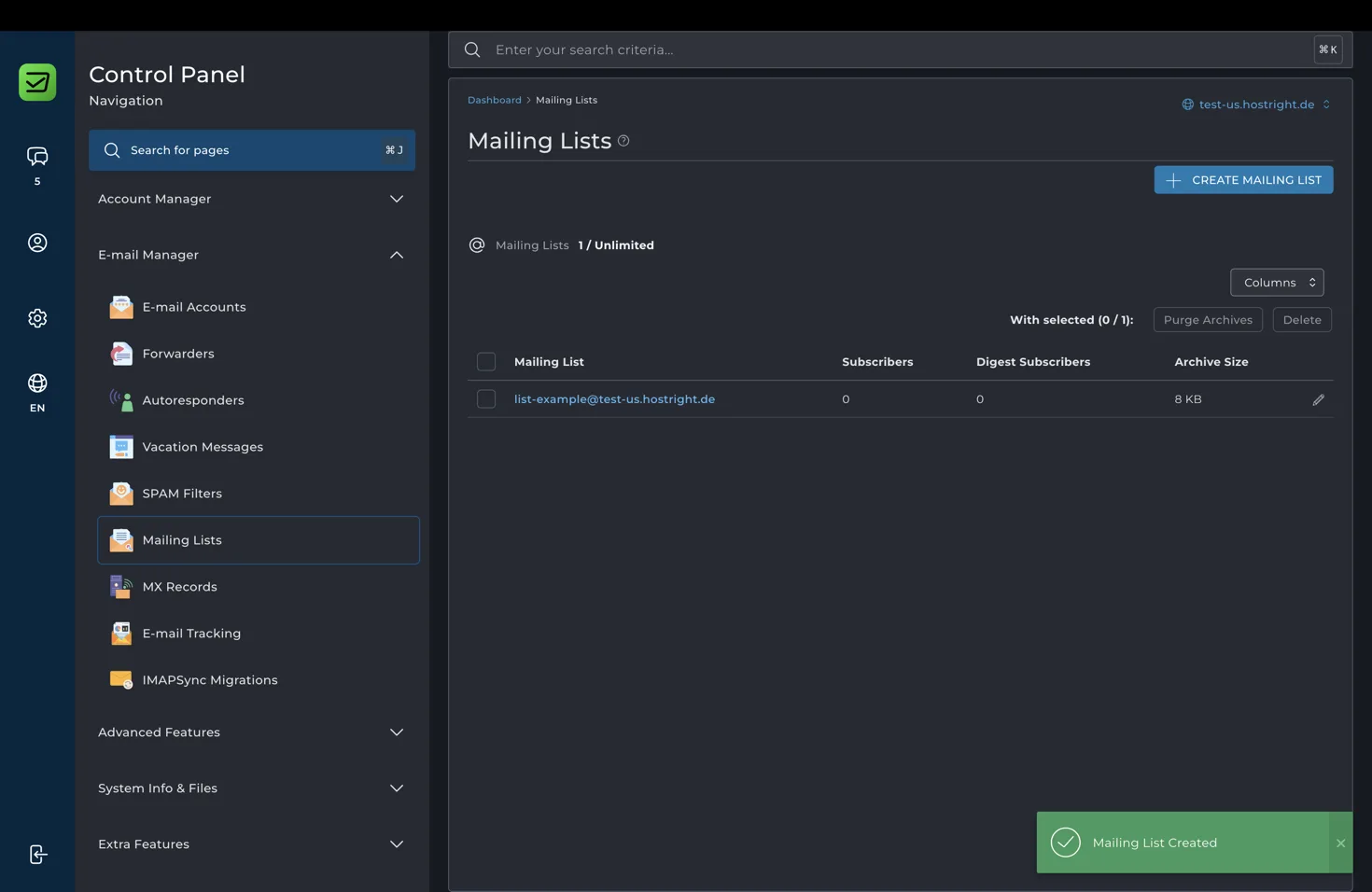
Select the mailing list to view it and manage subscribers.
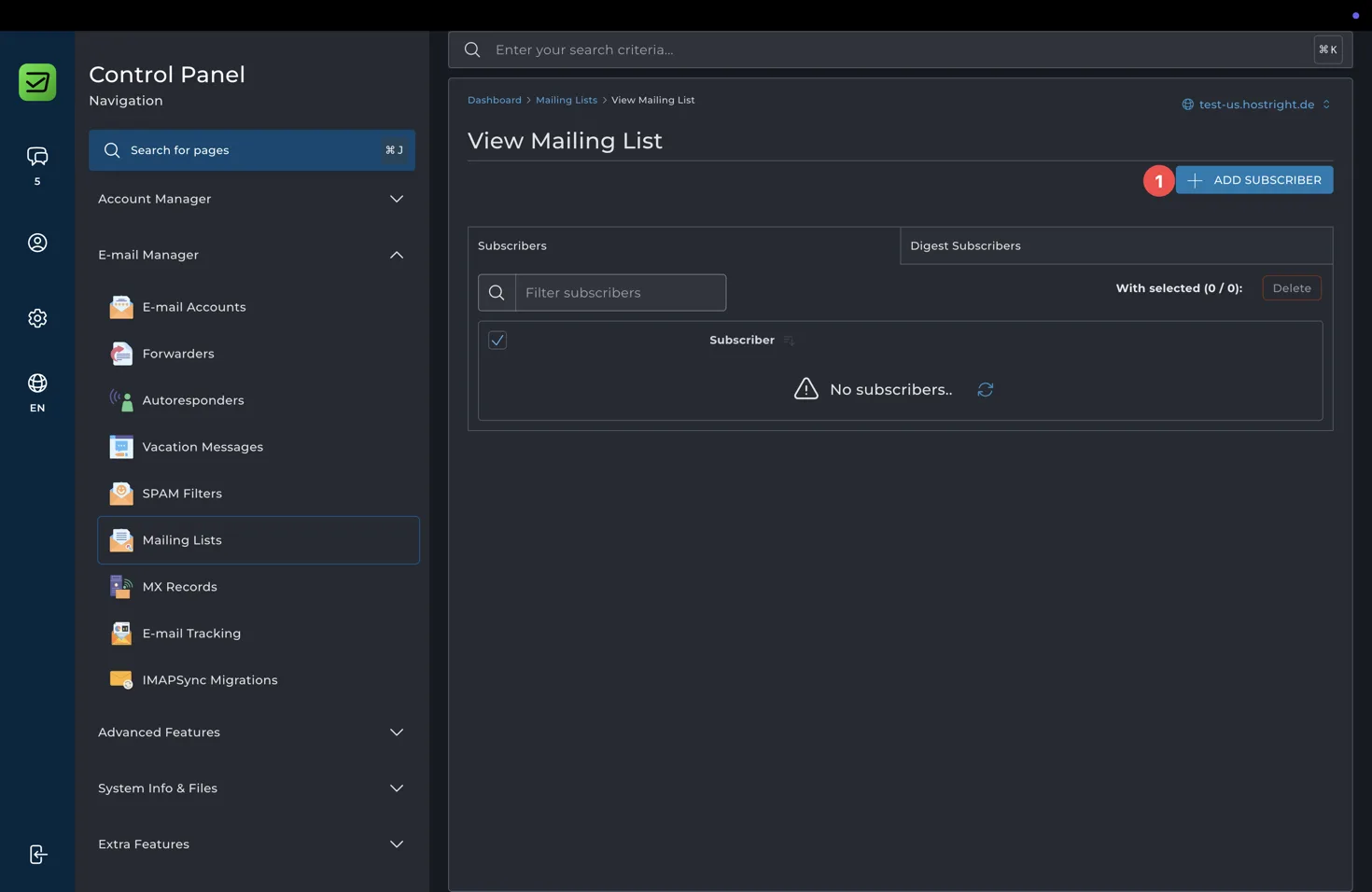
Add subscribers
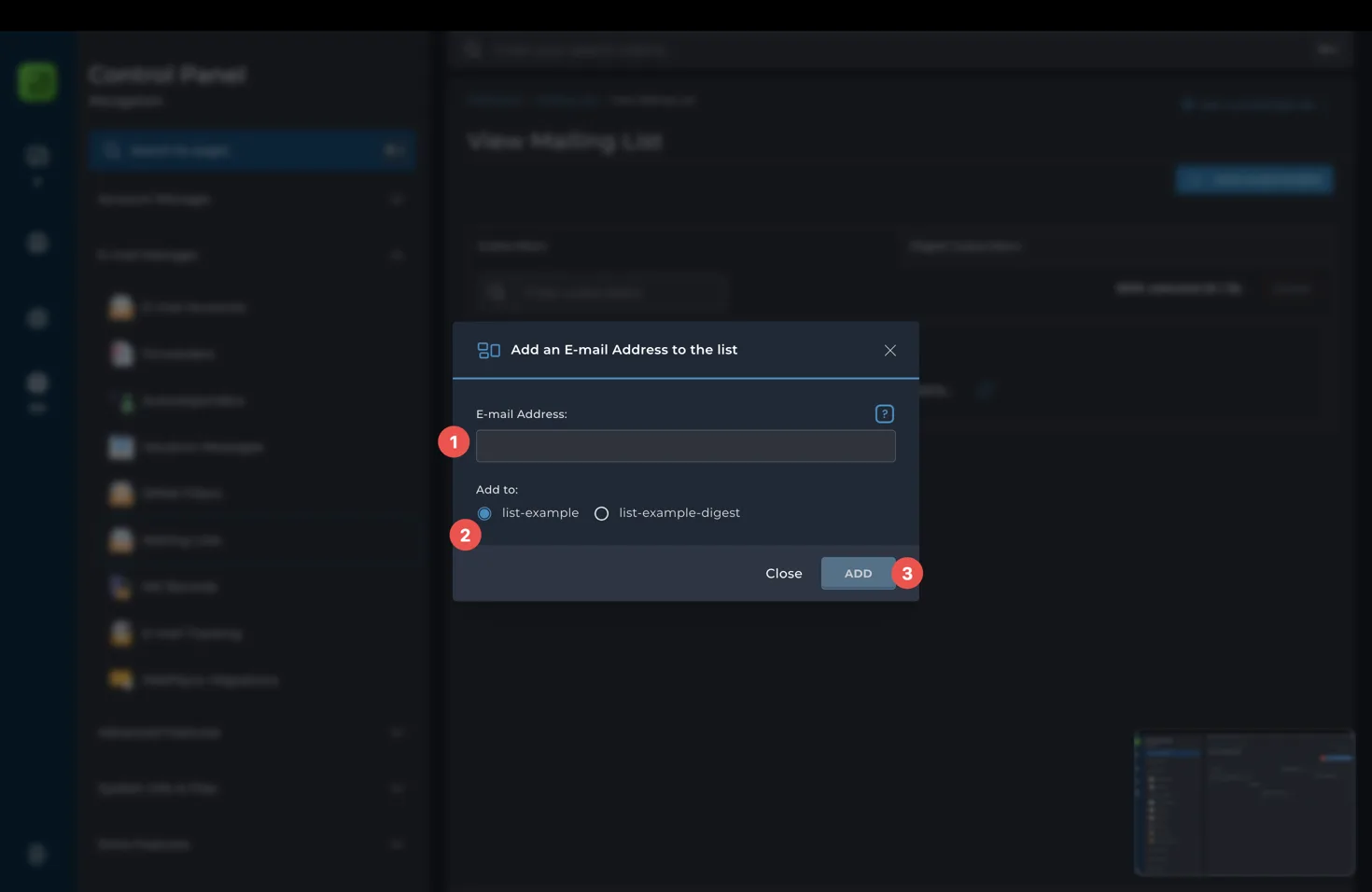
Select Add Subscriber, enter the subscriber address, choose the list or digest list, and select Add.
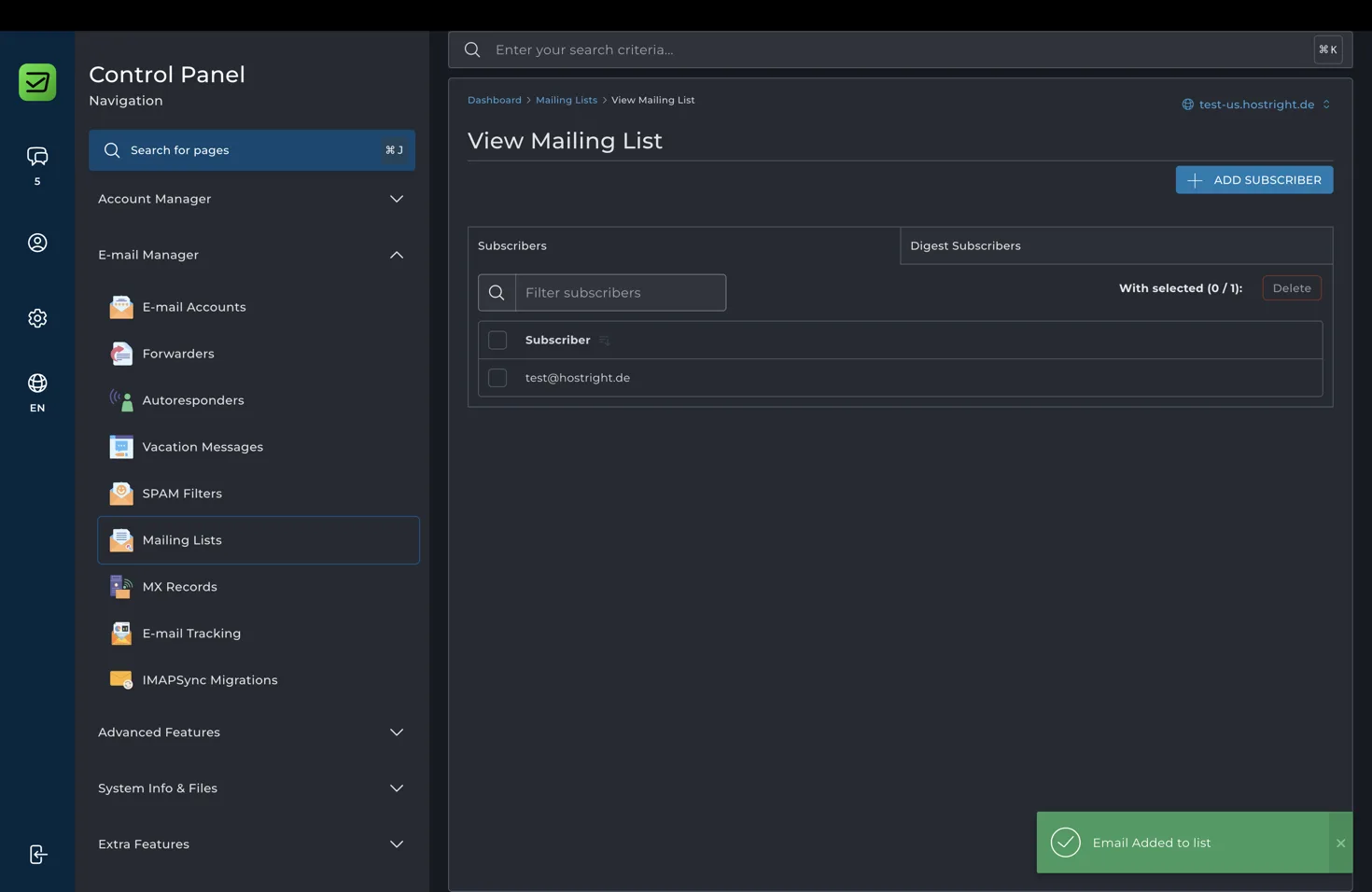
The subscriber will then appear in the list.
The numbered fields represent:
- E-mail Address: the subscriber address that should receive list messages.
- Add to: choose the regular list or the digest list when both are available.
- Add: confirm the subscriber.
Add subscribers only with their permission. Mailing lists can send one message to many people, so verify every address and use a clear list name before sending the first message.
Mailing list use cases
- A product team can distribute internal release announcements.
- A community can share updates with subscribed members.
- A small business can send product news to an opted-in audience.
- A project team can coordinate without adding every recipient manually.
Before using a list for marketing, make sure the recipients have opted in and that your messages include a clear way to stop receiving them. Keep subscriber data private and remove addresses when they request removal.
Manage the list over time
Review subscribers periodically and remove invalid or outdated addresses. Use the list controls to manage the subscriber set and archives where available. If a message should go only to one recipient, send it directly instead of using the list.
Mailing list delivery depends on correct domain DNS and mail configuration. If the list address cannot receive or distribute mail, confirm the domain setup and review the external DNS guide when DNS is managed outside HostRight.