
Hosting tools
Enable and use Redis
Enable Redis for a HostRight account, find the Unix socket path, and configure an application to use Redis safely.
Redis is an in-memory data store that applications commonly use for caching, sessions, queues, rate limiting, and short-lived application data. HostRight provides Redis as an account-level service that can be enabled from the Control Panel.
Redis is useful when an application needs fast repeated reads or a shared cache between application processes. It should not replace a persistent database for important records unless the application has a separate durable storage strategy.
Open Redis
Sign in to the HostRight Control Panel. Expand Advanced Features and select Redis.
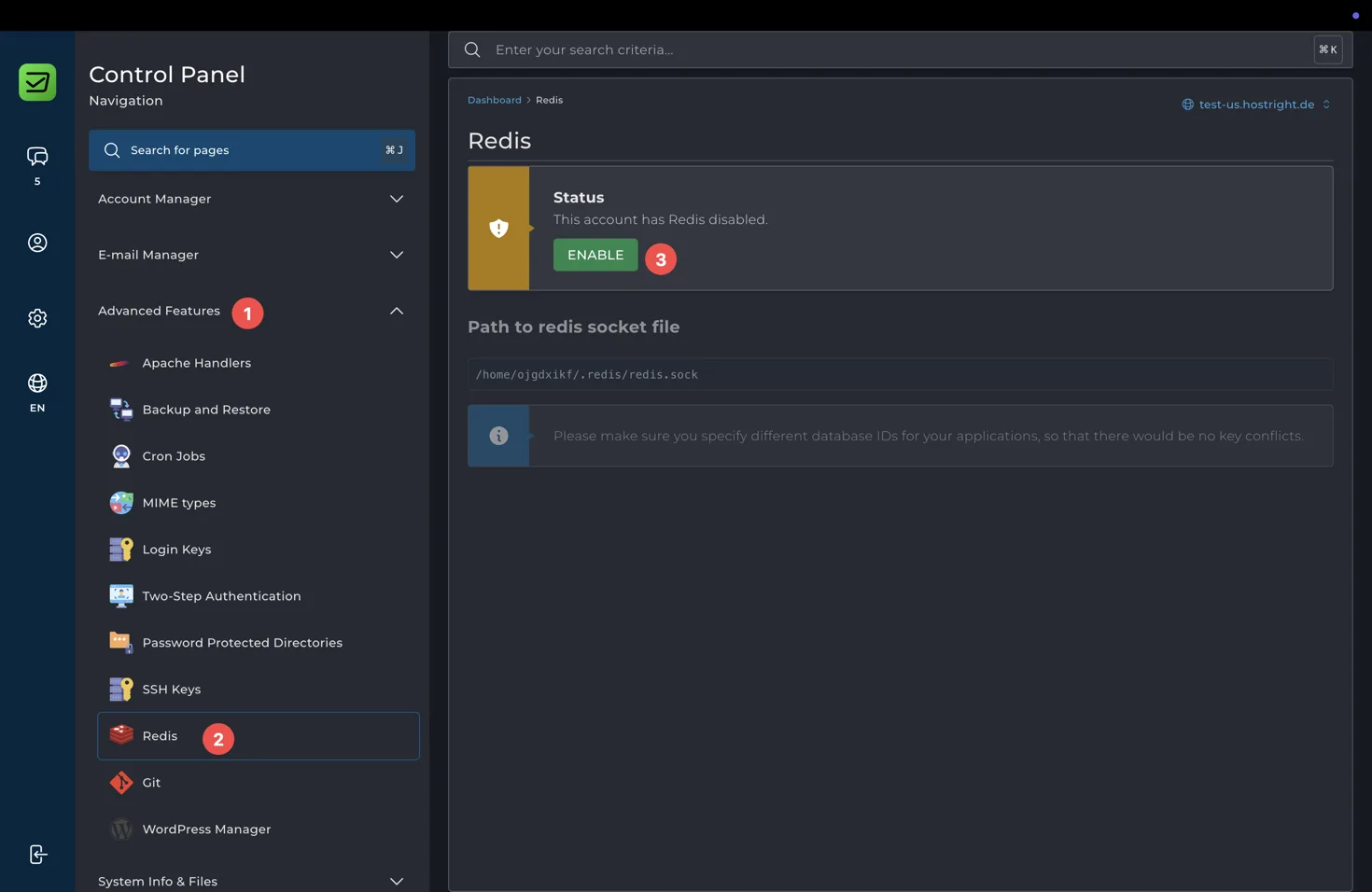
When Redis is disabled, the page shows an Enable button. Select it to start the Redis service for the account.
Enable Redis
Select Enable and wait for the status to change. The Control Panel will show that Redis is enabled when the service is ready.
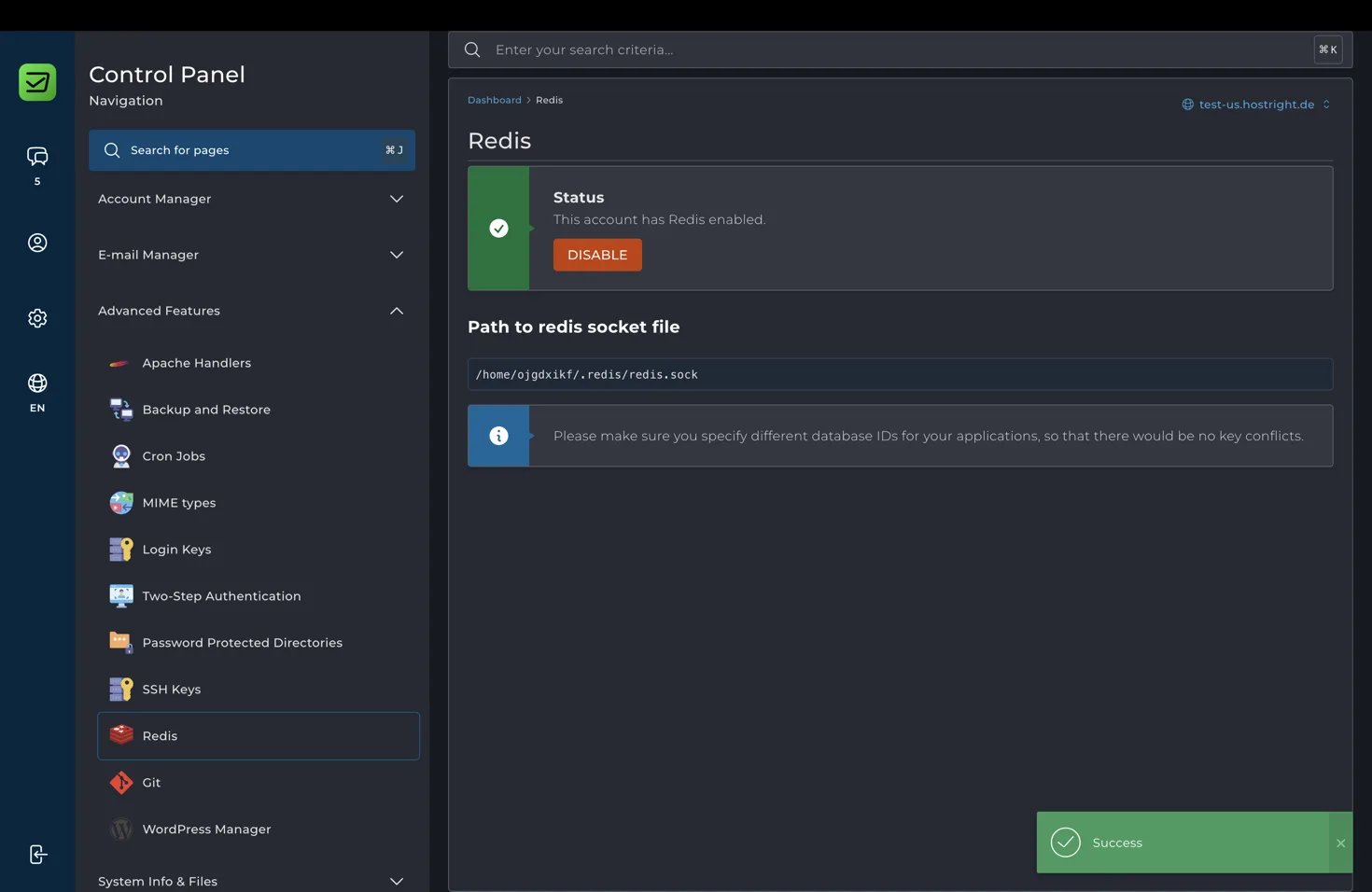
Enabling Redis does not automatically configure your application. You must add the Redis connection settings to the application that should use it.
Find the Redis socket path
After Redis is enabled, copy the value shown under Path to redis socket file.
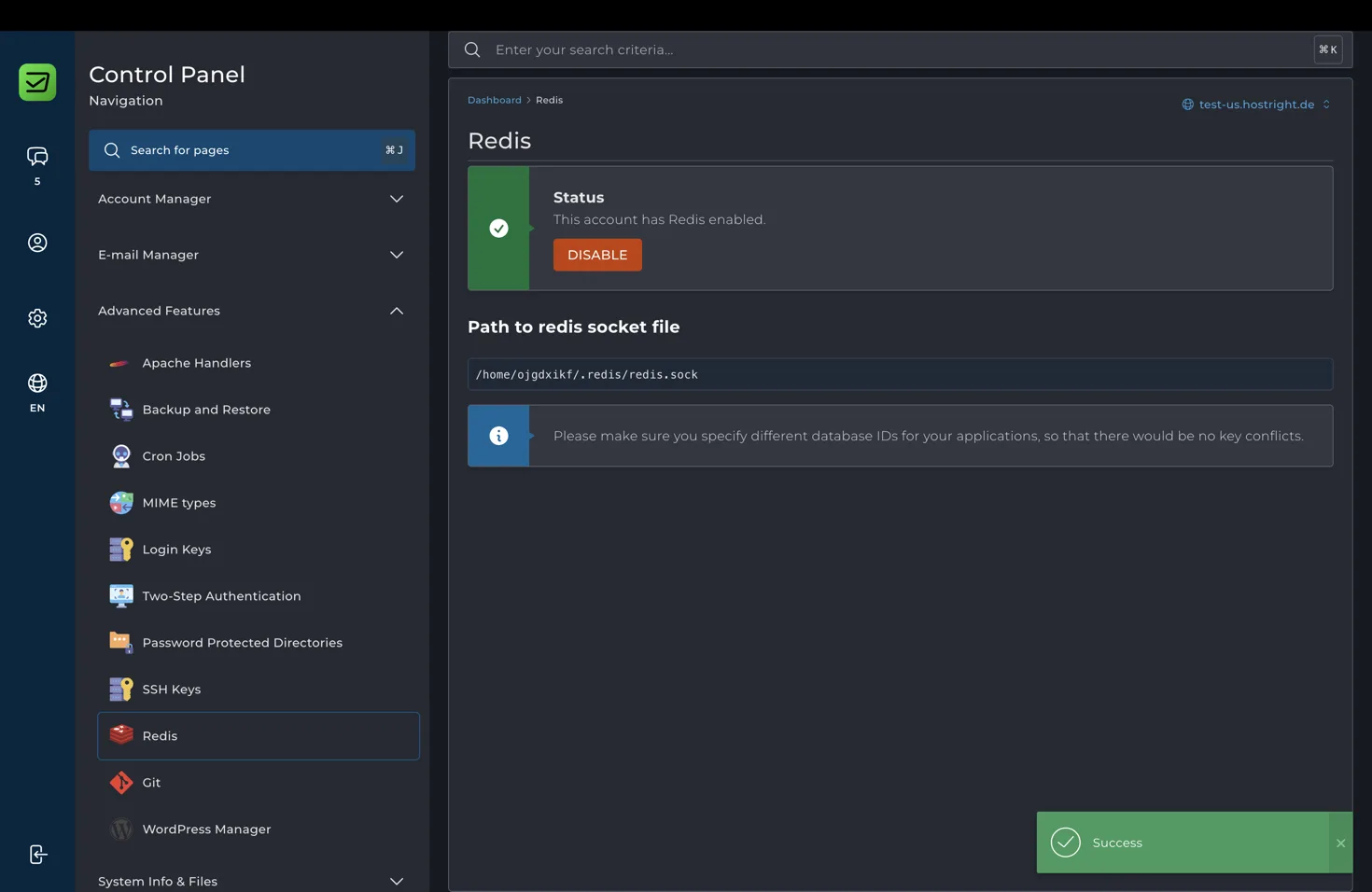
The path is account-specific. It may look similar to:
/home/ACCOUNT_USERNAME/.redis/redis.sock
Use the exact path shown in your Control Panel instead of copying the example. A Unix socket keeps the connection local to the hosting account and avoids exposing Redis as a public network service.
Configure your application
Configure your application to use the Unix socket path. The exact setting depends on the language and framework.
Common configuration concepts include:
- Redis host: the socket path or the framework's Unix socket setting
- Redis port: leave empty or use the value required by the client when connecting through a socket
- Database ID: a separate integer for each application or environment
- Password: use one only if the application and account configuration require it
Some clients expect a Redis URL. Follow the format required by the client library and confirm that it supports Unix sockets. Other clients provide a dedicated socket or path option.
For example, a framework may use an environment variable similar to:
REDIS_SOCKET=/home/ACCOUNT_USERNAME/.redis/redis.sock
REDIS_DATABASE=1
Use the environment variable names and format required by your application. Do not place account-specific values in publicly accessible files.
Use a different database ID for each application
The Control Panel warns you to specify different database IDs for your applications so that there are no key conflicts. Redis database IDs provide separate logical key spaces within the same Redis service.
For example:
- Application cache: database ID
1 - Queue worker: database ID
2 - Staging application: database ID
3
The available database ID range depends on the Redis configuration and client. Separate IDs reduce accidental key collisions, but they do not replace key naming, expiration policies, or access controls in the application.
Good Redis use cases
Redis can improve an application when used for:
- Page or query caching
- Login sessions
- Background job queues
- Rate limiting
- Temporary locks
- Short-lived tokens and counters
Set expiration times for temporary data and keep cache keys namespaced by application. Avoid putting irreplaceable data only in Redis because cached or in-memory data may be cleared during service maintenance or a restart.
Troubleshoot Redis connections
If the application cannot connect, check that Redis is enabled, copy the socket path again from the Control Panel, and verify that the application user can access the socket. Confirm that the application is using a Unix socket setting rather than trying to connect to the socket path as a normal hostname.
If multiple applications are using Redis, check their database IDs and key prefixes. A shared database ID can make one application read or delete keys created by another application.
If you no longer need Redis, return to the Redis page and select Disable. Before disabling it, configure the application to use another cache or session backend and understand the effect on running jobs and active sessions.