
Hosting tools
Create email forwarders
Forward mail from a HostRight address to one or more destinations without creating another mailbox.
An email forwarder sends messages addressed to one domain address to another destination. Forwarders are useful for role addresses such as sales, press, or invoices when you want messages to reach an existing mailbox without managing another inbox.
A forwarder is different from an email account. A forwarder does not provide a separate mailbox for storing and reading mail. Create an email account when you need a dedicated inbox, webmail access, or separate IMAP and SMTP credentials.
Open Forwarders
In the HostRight Control Panel, expand E-mail Manager and select Forwarders.
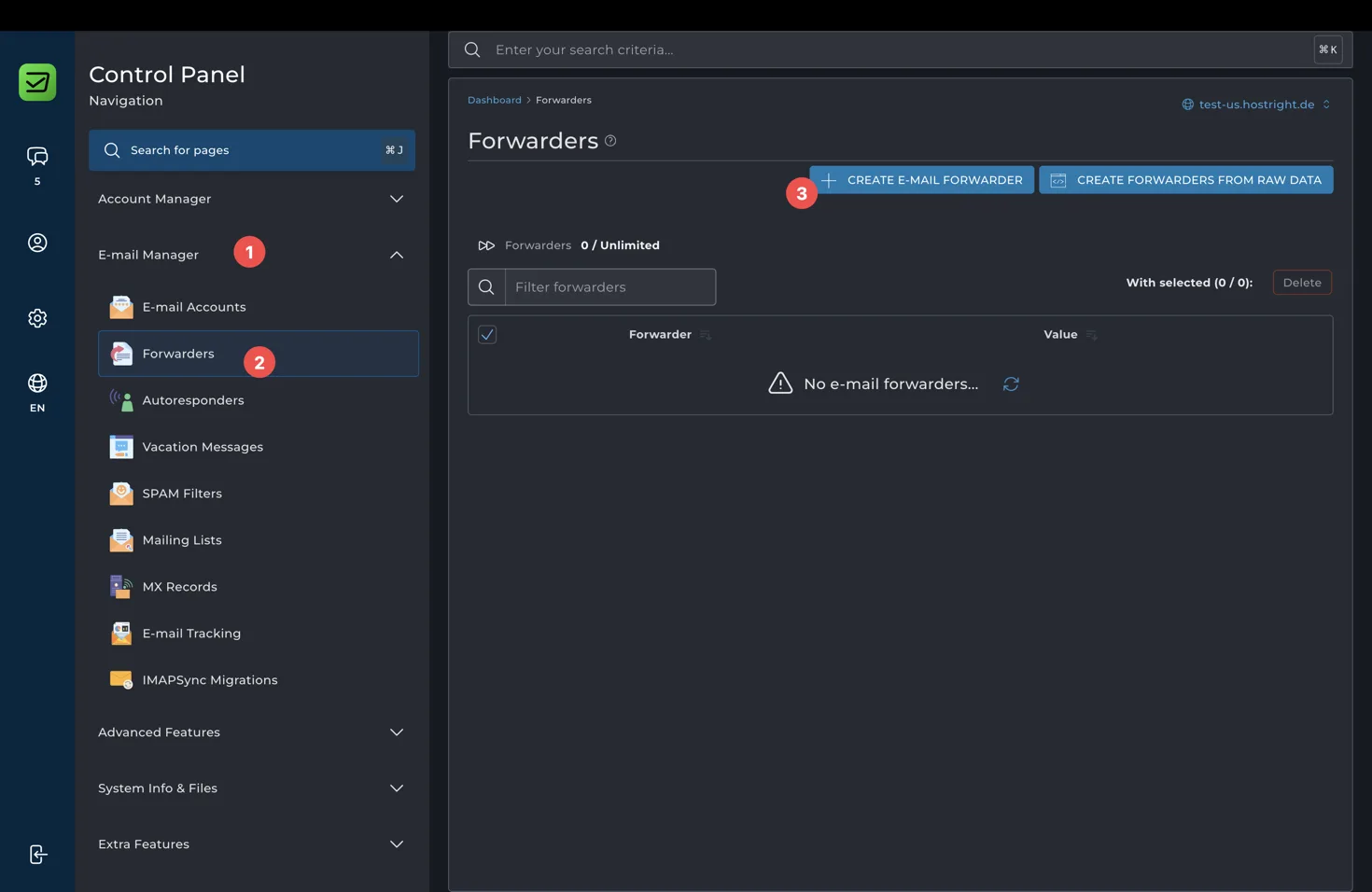
The page lists existing forwarders and their destinations. Select Create E-mail Forwarder to create one.
Create a forwarder
Enter the new forwarder name and add one or more destinations.
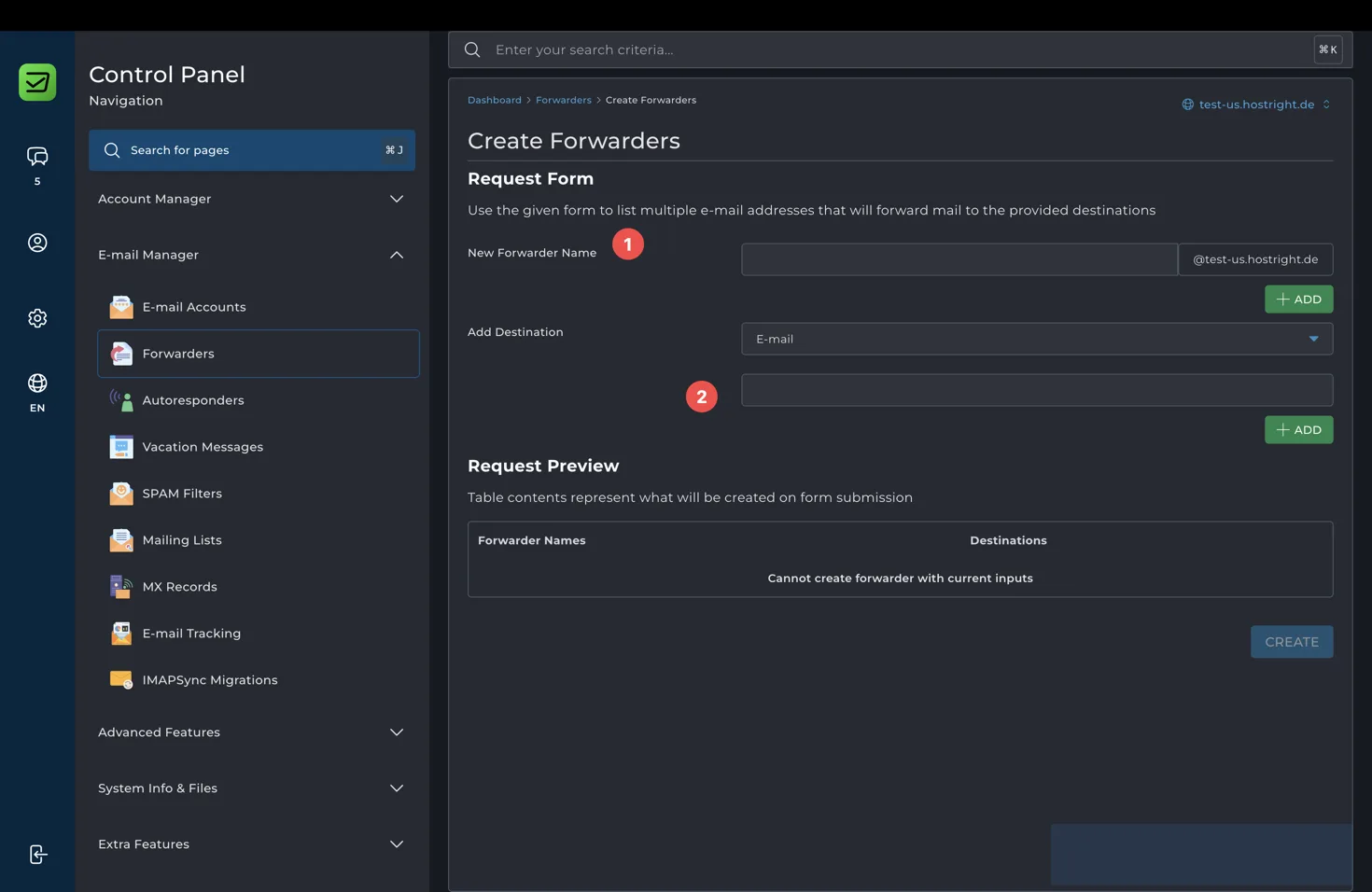
For example, a forwarder named sales on example.com can send mail received at sales@example.com to team@example.com or to an external address. Add the destination, review the request preview, and select Create.
Use forwarders for:
- Sending
support@example.comto a support team mailbox - Sending
billing@example.comto an accounting mailbox - Keeping an old address active while customers learn a new address
- Sending role-based mail to several recipients
Forwarders do not automatically create the destination mailbox. The destination must already exist or be a valid address that can receive mail. If you forward to an external provider, that provider may ask recipients to confirm or trust the forwarded messages.
Manage forwarders safely
Review forwarding destinations regularly. Remove addresses that are no longer used, especially external addresses. A forwarder can expose private messages to every configured destination, so only add recipients who should receive the mail.
If you need an automatic reply rather than delivery to another mailbox, use an autoresponder. If you need multiple recipients to subscribe and unsubscribe, use a mailing list.