
Application hosting
Host a Svelte app as a static website
Build a Svelte or SvelteKit static site, upload the generated output to HostRight, handle client-side routes, and enable SSL.
Svelte applications can be published as static files when rendering and data access happen in the browser or through a separate API. A Vite Svelte app builds to dist/ by default. SvelteKit uses an adapter for its deployment target, so choose a static adapter when the target is ordinary shared hosting.
Build the frontend
For a Vite Svelte project:
npm ci
npm run build
Upload the contents of dist/:
dist/
├── index.html
└── assets/
For SvelteKit, configure the static adapter, run the production build, and upload the adapter's generated static directory. Check the generated output for index.html before uploading.
Deploy with HostRight
Create or connect the domain, then upload the generated output to the domain's public directory using Git, SFTP, or the file manager.
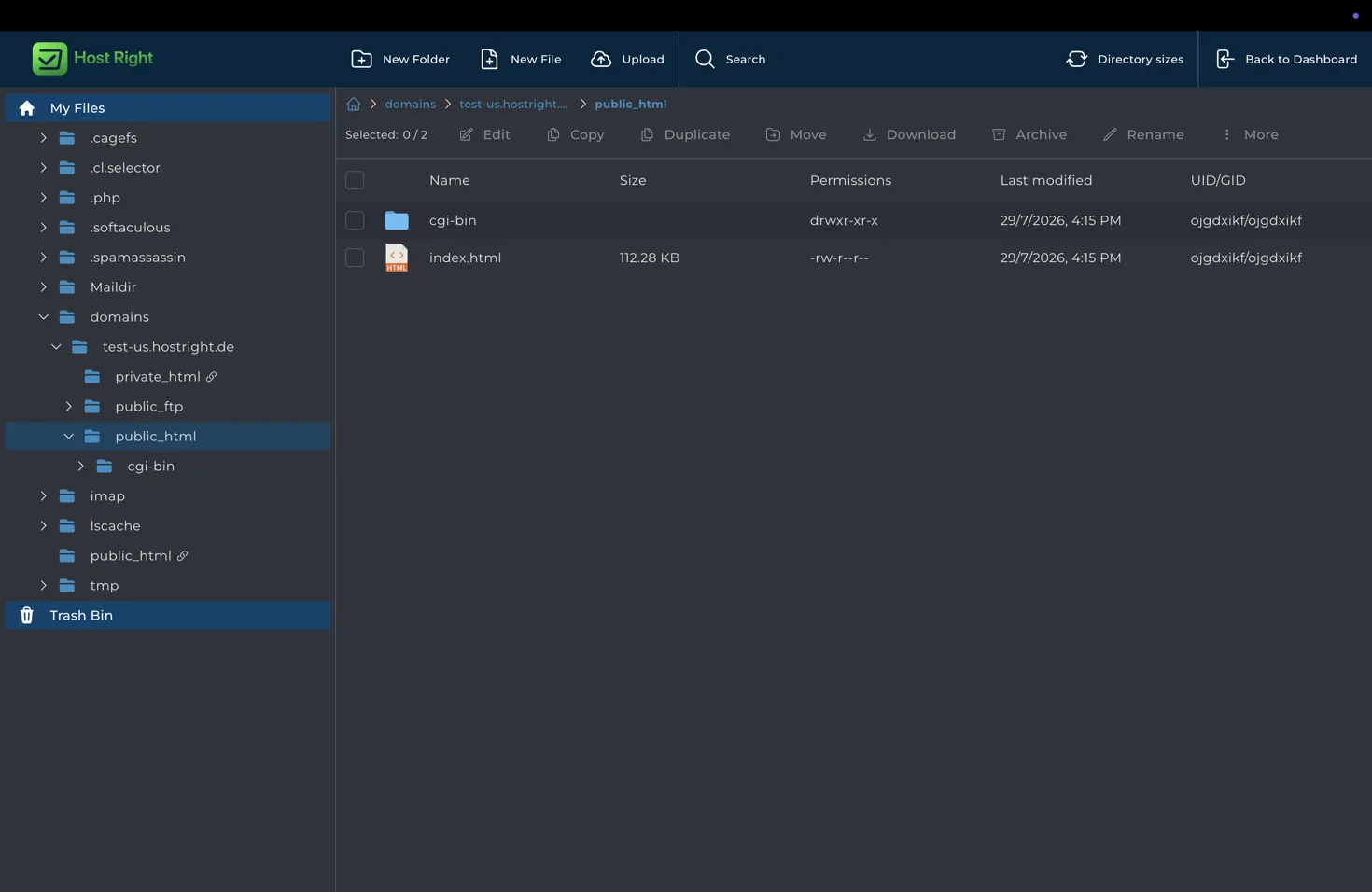
Keep index.html at the public root. Do not upload node_modules, secrets, or development source files.
Handle routing and APIs
SvelteKit and client-side routers may need an SPA fallback for browser-history routes. Test direct requests and refreshes. Use a separate HostRight PHP, Python, or Node.js application for database access, private APIs, authentication, and webhooks.
Enable HTTPS
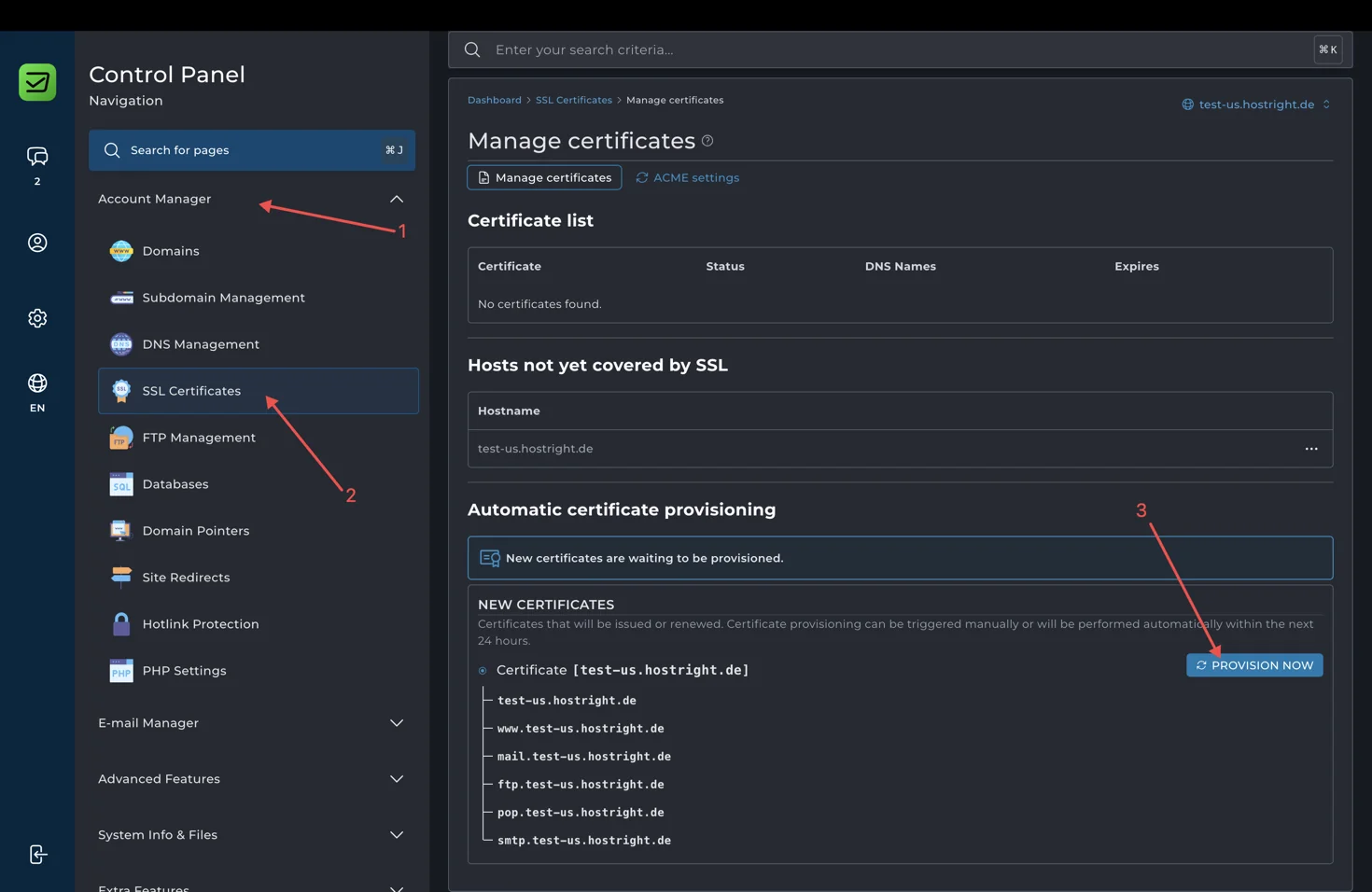
After DNS resolves, provision a certificate under Account Manager → SSL Certificates, then test assets, forms, routes, API requests, and HTTPS redirects.
For a server-rendered SvelteKit deployment, use a Node.js application workflow instead of static hosting.