
Comparisons
HostRight vs WordPress.com for WordPress ownership and flexibility
Compare WordPress.com and HostRight pricing, plugins, database access, Redis, email, cron jobs, backups, SSL, storage, and application flexibility.
WordPress.com is a managed publishing platform. HostRight is general web hosting with WordPress Manager, PHP controls, database access, Redis, email, SSH, Git, and Cron Jobs. Both can run WordPress, but they give you different levels of ownership and operational control.
WordPress.com pricing snapshot
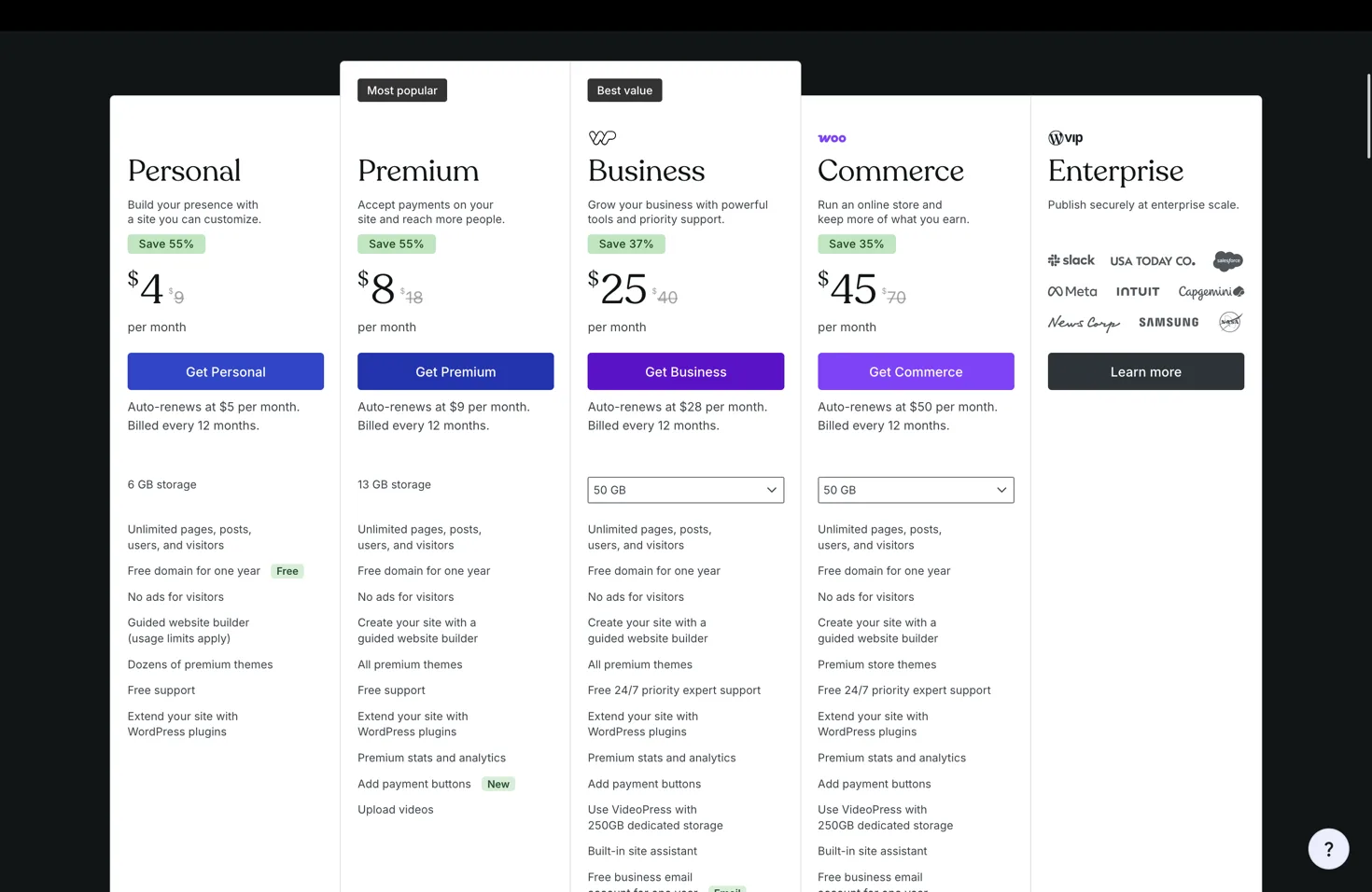
The supplied WordPress.com reference shows annual-billing equivalents of Personal $4/month, Premium $8/month, Business $25/month, and Commerce $45/month, with displayed renewal prices of $5, $9, $28, and $50 respectively. The plans include managed WordPress features, storage, themes, support, and different plugin/commerce capabilities.
HostRight Starter is $2.99/month and includes one site, one MariaDB database, five email addresses, 1 GB storage, SSL, daily backups, Redis, Git, SSH, and Cron Jobs. WordPress is installed through WordPress Manager or Softaculous, but you retain conventional access to the site files and database.
Feature comparison
| Need | HostRight | WordPress.com |
|---|---|---|
| WordPress | WordPress Manager or Softaculous | Managed WordPress platform |
| Plugin/theme control | Conventional files and database access | Depends on the plan |
| Database access | Included MariaDB/phpMyAdmin | Platform-managed; access varies |
| Redis | Account-level Redis included | Not a general user-managed Redis service |
| Cron jobs | Included | Not a general hosting Cron Jobs workflow |
| Mailboxes included | Plan/provider dependent | |
| SSL and backups | Included according to plan | Managed by platform with plan policies |
| Other applications | PHP, Python, Node.js, one-click apps | Primarily WordPress and related products |
Choose WordPress.com when you want the most managed publishing experience and do not need general server-side application access. Choose HostRight when you want WordPress plus email, database, Redis, Cron Jobs, SSH/Git, and the option to run other frameworks from the same account.
Read A better alternative to WordPress.com for self-hosted WordPress.