
Application hosting
Host a Vue app as a static website
Build a Vue app with Vite, deploy the dist output to HostRight, configure client-side routing, and launch it over HTTPS.
Vue can be deployed as a static site when the application does not require server-side rendering or private server code. The production build contains the browser application and can be served from HostRight's public directory.
Build the Vue app
For a Vite-based Vue project:
npm ci
npm run build
The production files are written to dist/:
dist/
├── index.html
└── assets/
Review vite.config.ts if the app is deployed below a subdirectory. For a domain root, use the default / base path.
Upload the generated files
Add the domain in HostRight, then upload the contents of dist/ to the domain's public directory. Upload index.html at the top level and keep the assets/ directory beside it.
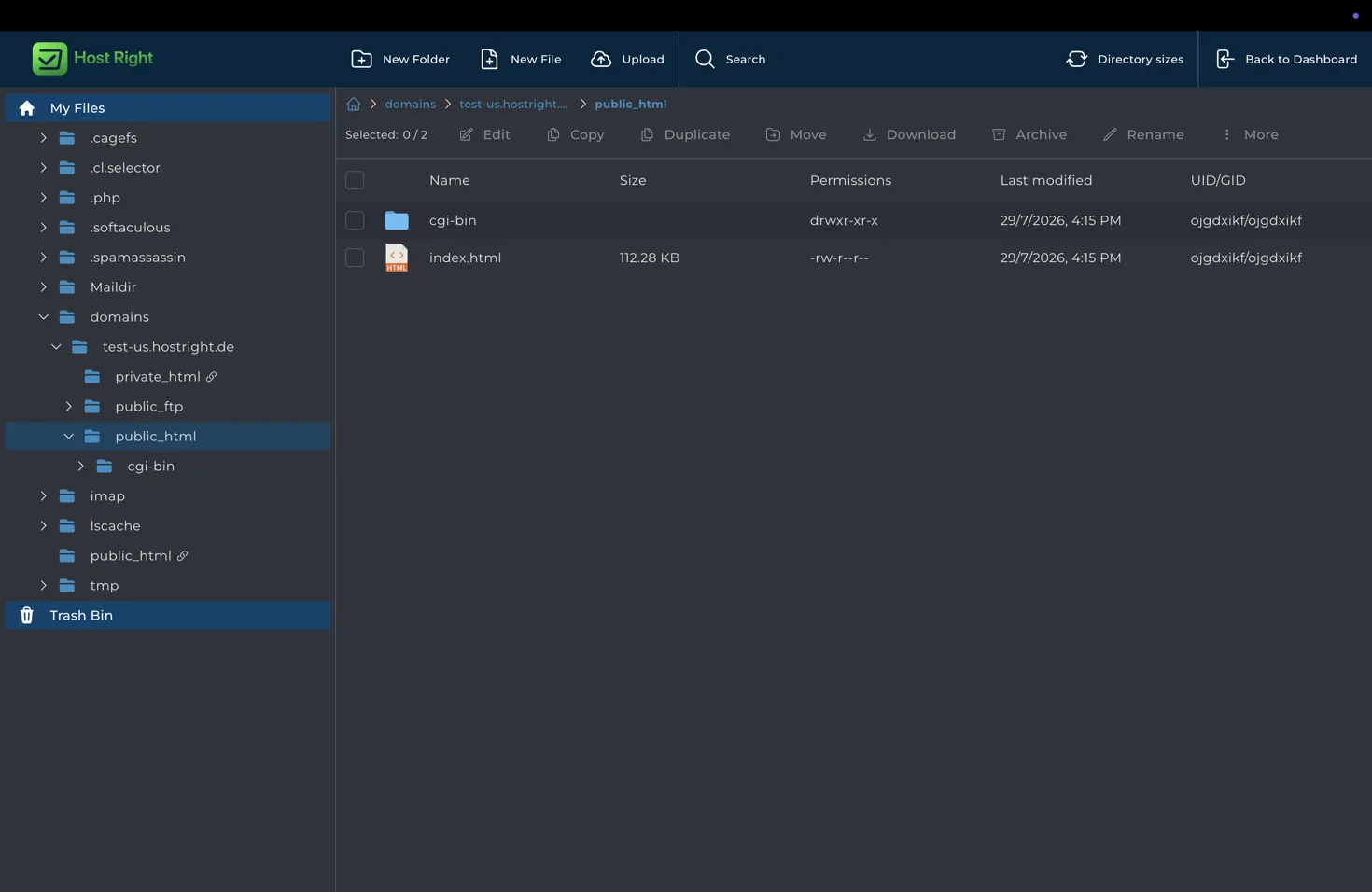
Use Git or SFTP for repeatable deployments. Do not upload node_modules, local environment files, or development source maps unless you specifically need them for debugging.
Configure Vue Router
Vue Router's history mode uses clean URLs such as /docs and /account. A static server must return index.html for those paths, otherwise a browser refresh can return 404. Configure an SPA fallback in the hosting environment or use hash mode when a fallback cannot be configured.
Test direct navigation and refresh for every public route. Also check that asset URLs remain correct from nested routes.
Use APIs safely
Static Vue code is public. Put database queries, authentication decisions, payment credentials, and private integrations in a backend API. The API can run as a HostRight PHP, Python, or Node.js application and connect to the included database or Redis service.
Configure the frontend's public API URL at build time and configure CORS and HTTPS on the API. Never place a database password in VITE_ variables or any JavaScript bundle.
Connect the domain and SSL
Enter the domain during service setup, point DNS to HostRight, and upload the build. After DNS resolves, open Account Manager → SSL Certificates and provision the certificate.
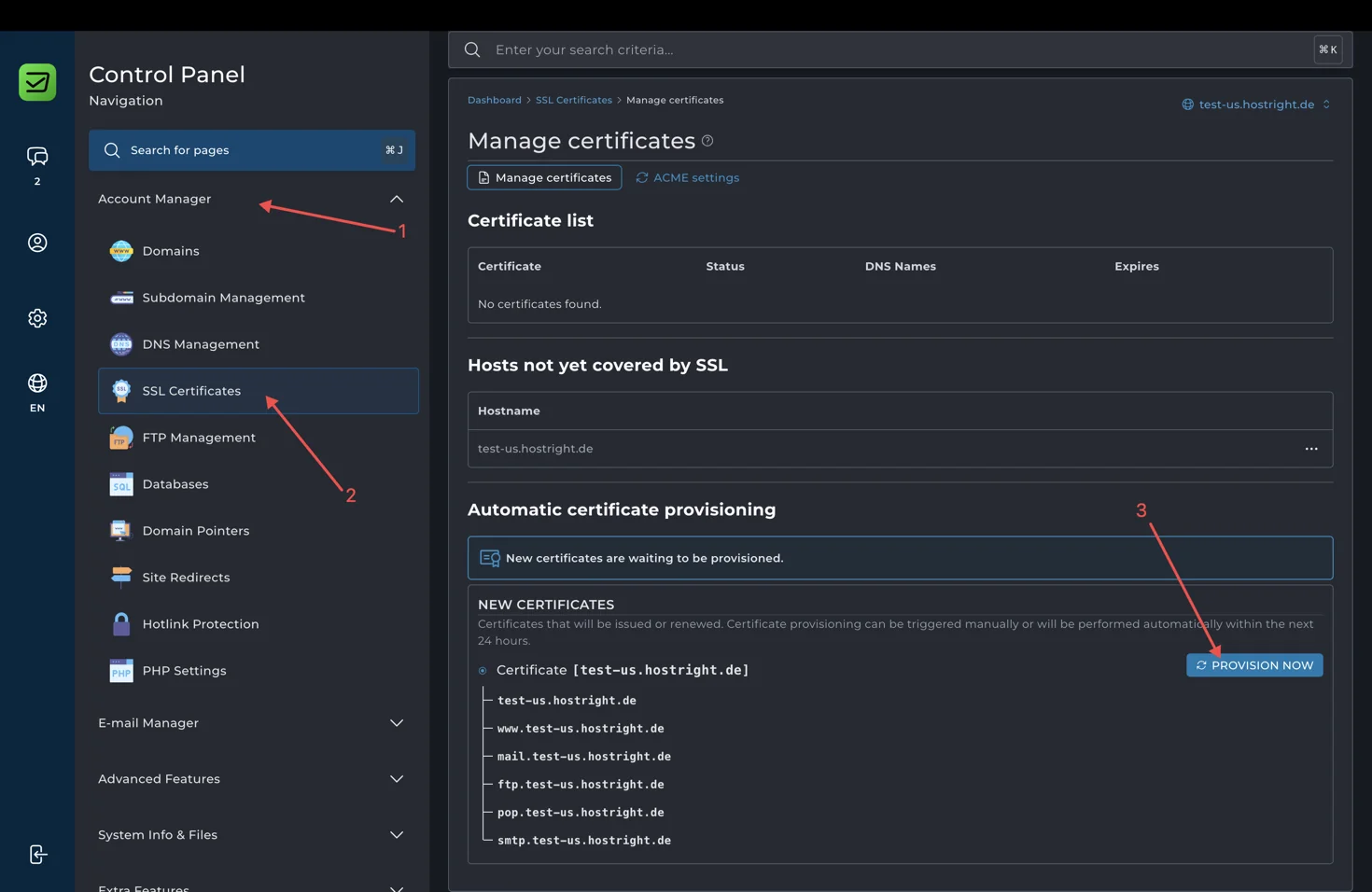
Check the home route, nested routes, static assets, API calls, forms, mobile layout, and HTTPS before announcing the site.